Effortlessly Secure Your
Microsoft Project Plans
with Scrubber
Unlock the power of Project Scrubber Addin for Microsoft Project
Desktop— effortlessly remove project details in 3 seconds! Streamline
your workflow securely
No cloud, no data sent outside the organization. Project Scrubber
processes the .MPP file directly in your PC's memory. 100% compliant
with the strictest corporate IT policies
Protect Your Future Now!
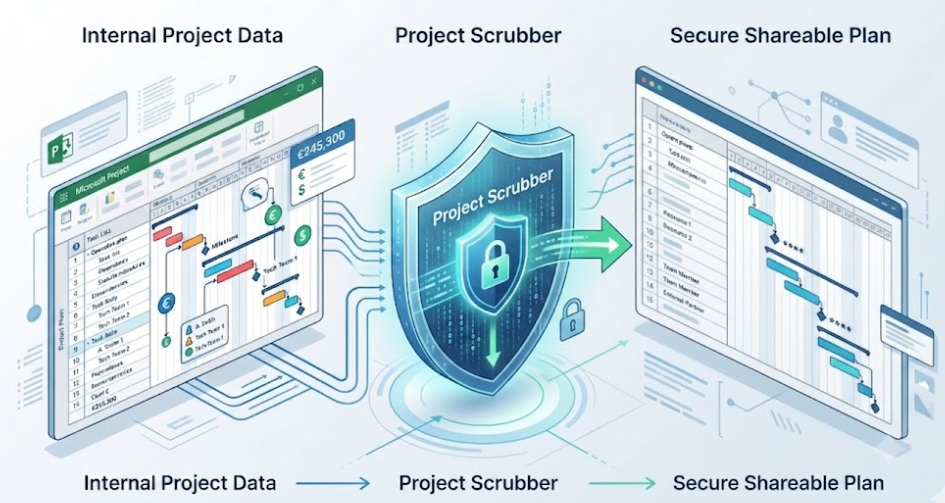
Safely scrub project data in
seconds!
The native Microsoft Project Add-in that instantly scrubs sensitive data, internal
costs, and baseline history from your .mpp files before sharing them with clients,
vendors, or external stakeholders
'Hide Column' is NOT a Security Strategy
When a .mpp file leaves your company network, you are not just sharing a schedule. You might be exposing your hourly rates, profit margins, operational notes, and historical project delays
Hiding a cost column in MS Project doesn’t delete the data. Any external user can unhide it in two clicks
Manually copying, cleaning, and verifying a "safe" version of your plan for every milestone report takes hours
Forgetting to delete a single resource rate table can compromise your entire contract negotiation
One Click to a Clean, Sharable .mpp File
Project Scrubber helps users to go from Zero to Hero with Pockets flow's simple platform that helps creators like you sell their digital products online.
Targeted Data Scrubbing
Select exactly what needs to be removed. Strip out internal resource costs, billing rates, and financial fields without altering the Gantt chart structure.
Clear Baseline History
Client doesn't need to see your initial planning mistakes or internal delays? Instantly clear baseline variances and historical data for a clean status report.
Remove Internal Notes & Assignments
Wipe clean custom fields, task notes, and specific resource assignments that are strictly for internal PMO governance.
100% Local Processing (Cloud-Free)
.Your data never leaves your PC. Project Scrubber processes the file locally and generates a separate _cleaned.mpp copy, leaving your original master plan perfectly intact.
Secure Your Project File in 5 Seconds

Built by Planners, for Planners
Project Scrubber is developed by Rosario Rizzo, a Microsoft Project Expert and Consultant. Built to solve a real-world PMO governance issue, it is the standard tool used by project managers to ensure compliance, protect intellectual property, and streamline client reporting
Best for: Testing the workflow
-
Access to All Features
-
Limit: Scrubs up to 30 tasks
-
Local processing
-
Native Ribbon Integration
Full License (Most Popular)
All features. One-year license
/ yearly (per seat)
Numero illimitato di progetti (.MPP)
-
Access to All Features
-
Best for: PMs. PMO, Consultant
-
Unlimited Tasks
-
Priority Email Support
-
Regular Updates included
-
Multiple licenses are available. Please contact us for more information.
No. Project Scrubber operates strictly on a "copy" basis. It creates a brand new, sanitized .mpp file (e.g., projectname_cleaned.mpp) and leaves your original operational master plan completely untouched.
Project Scrubber is compatible with Microsoft Project Desktop versions (2016, 2019, 2021, and Project Online Desktop Client).
No. All processing is 100% local on your machine. Project Scrubber does not send, upload, or store your project data on any external servers, ensuring full GDPR and corporate compliance.
Microsoft and Microsoft Project are registered trademarks of Microsoft Corporation. Project Scrubber is an independent Add-in and is not affiliated with Microsoft.